Calendar
See everything in one unified calendar—tasks, maintenance schedules, and events all in one place.
Viewing Your Calendar
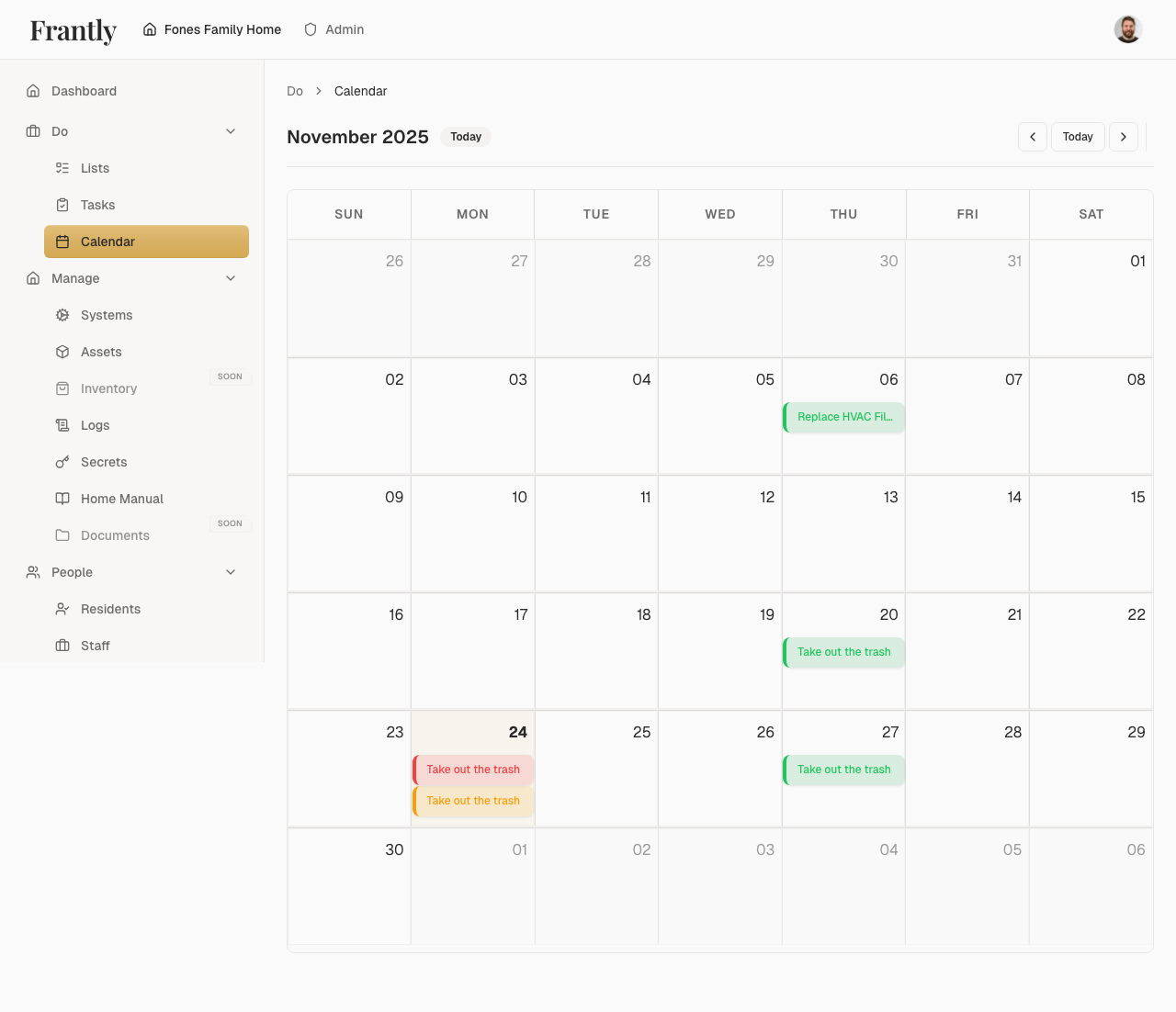
- Go to Do → Calendar
- Choose your view:
- Month - See the full month at a glance
- Week - Focus on the current week
- Day - See detailed daily schedule
What's on Your Calendar
- Tasks - Tasks with due dates
- Maintenance - Upcoming maintenance schedules
- Events - Important dates and reminders
- All activities - Everything happening in your household
Filtering Your Calendar
- By type - Show only tasks, maintenance, or events
- By person - See what specific people are doing
- By date range - Focus on specific time periods
- Combined filters - Use multiple filters together
Planning Ahead
- See what's coming - View upcoming tasks and maintenance
- Avoid conflicts - Spot scheduling conflicts before they happen
- Plan busy periods - Prepare for weeks with lots of activity
- Coordinate - See who's doing what and when
Tips
- Check your calendar regularly
- Use filters to focus on what matters
- Plan ahead for busy periods
- Coordinate with household members
- Set reminders for important dates
Next: Learn about lists →